Streamline Your Creative Business with a Professional Design Invoice Template
Let’s be honest, chasing payments is the least glamorous part of being a creative. You’ve poured your talent into the project, delivered the final files, and now you just want to get paid. That’s where a solid Design Invoice Template comes in. It’s not just a bill; it’s the final touchpoint of your brand experience. A polished, professional invoice reinforces the quality of your work, builds trust with clients, and makes you look established—even if you’re just starting out. This particular template is built for creatives who value both form and function, ensuring your administrative tasks reflect the same care as your design projects.
More Than Just a Bill: What’s Inside the Package?
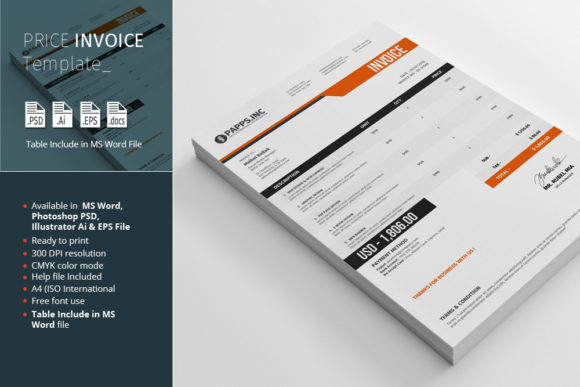
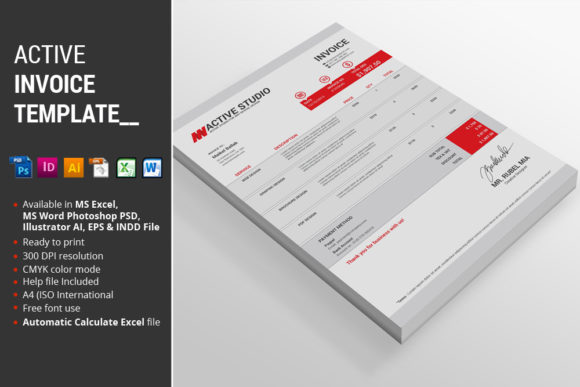
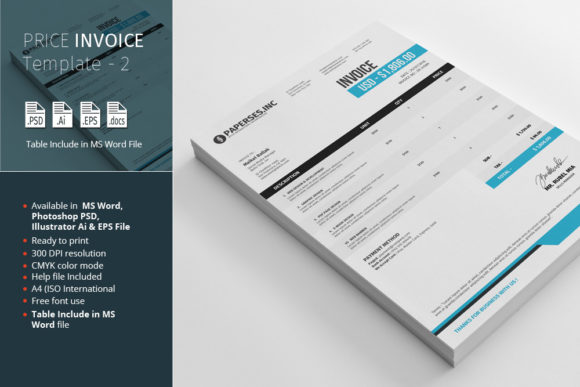
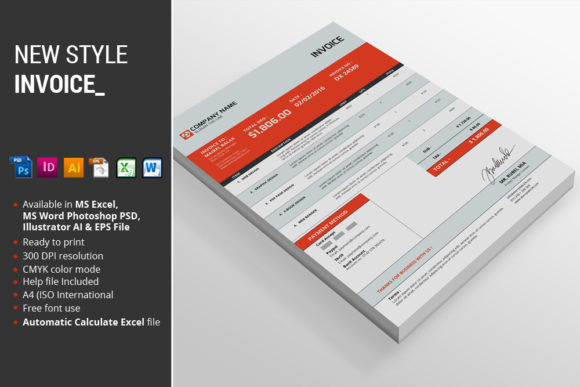
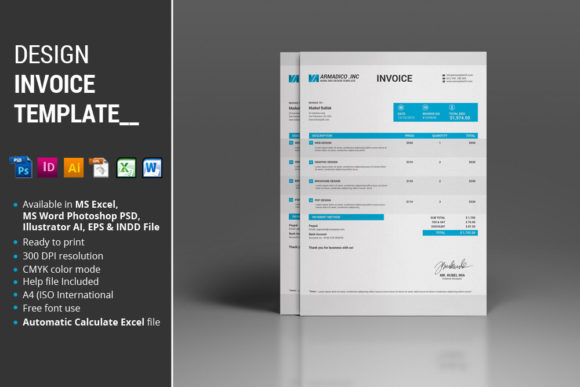
This isn’t a single, inflexible file. It’s a complete toolkit designed to fit seamlessly into your existing workflow, no matter what software you prefer. The package includes:
- 1 MS Excel 2010 file – Perfect for those who love control and automatic calculations. No more manual math errors.
- 1 MS Word 2010 file – For quick, straightforward edits and a familiar interface.
- 1 Photoshop EPS file – Ideal for designers who want to integrate the invoice into a broader client presentation.
- 1 InDesign CS5 file – The professional’s choice for precision layout and typographic control.
- 1 Illustrator file – Great for vector-based customization and scalability.
- 1 EPS file – A versatile, high-quality format for various applications.
- Instructions PDF – A clear guide to get you set up and customizing in minutes.
Think of this as a premium font bundle for your business documents. Just as you’d choose a creative font for a logo, you’re choosing a structured template for your invoicing. The variety of file formats means you’re not locked into one program. You can use the Excel file for its powerful automatic calculate feature, then drop the design into an InDesign layout for a client portfolio. The Instructions PDF is a lifesaver, linking directly to the fonts used so you can maintain perfect brand identity consistency.
Designed for Clarity and Professionalism
The visual design of this Design Invoice Template is clean, modern, and intentionally understated. It uses a balanced layout with ample white space, making every section—from client details to itemized services—immediately scannable. This isn’t a flashy display font situation; it’s about clarity and professionalism. The A4 (ISO International) size ensures it prints perfectly worldwide, and the CMYK color mode is ready for professional printing, so the colors you see on screen are what you’ll get on paper.
One of the standout features is the fully organized layer structure in the design files. For anyone using Photoshop, Illustrator, or InDesign, this means no hunting through chaotic layers. Everything is labeled logically, which saves a tremendous amount of time when you need to make quick edits. This level of organization speaks to a deeper understanding of a designer’s workflow, much like how a well-crafted sans serif font or serif font family includes multiple weights and styles for versatility.
Practical Guidance for Your Creative Workflow
So, how do you make the most of this? Start by evaluating your primary needs. If you bill by the hour and need flawless calculations, the MS Excel file is your best friend. If your invoices are part of a larger brand system you’re building in Adobe Creative Suite, the Illustrator or InDesign files will integrate perfectly. The key is to choose the format that requires the least amount of friction in your process.
Consider your font pairing. The template likely uses a neutral, highly readable typeface. When you customize it, stick to one or two fonts that align with your brand identity. If your brand uses a handwritten font for headings, you might use that sparingly for your business name on the invoice, but keep the body text in a clean sans serif font for maximum readability. Remember, the goal here isn’t artistic expression—it’s clear communication to get you paid faster.
This template is a versatile design asset suitable for a wide range of professionals. Graphic designers can use it to mirror the aesthetic of their client projects. Freelance marketers and bloggers will appreciate the straightforward layout for service-based billing. Even crafters and hobbyists selling on platforms like Etsy can use a customized version to present a more professional face to their customers. It’s a small investment that elevates your entire operation, reinforcing the professionalism behind every project, whether it’s web design, packaging design, or social media graphics.
Ultimately, a great invoice template does more than request payment. It streamlines your administrative workload, reduces errors, and presents a consistent, professional image. It’s a practical piece of your business puzzle that lets you focus more on the creative work you love and less on the paperwork you don’t.